REST API
Building an API? It's easy.
A wizard is available in the File|New|FastPlaz|API Application... menu.
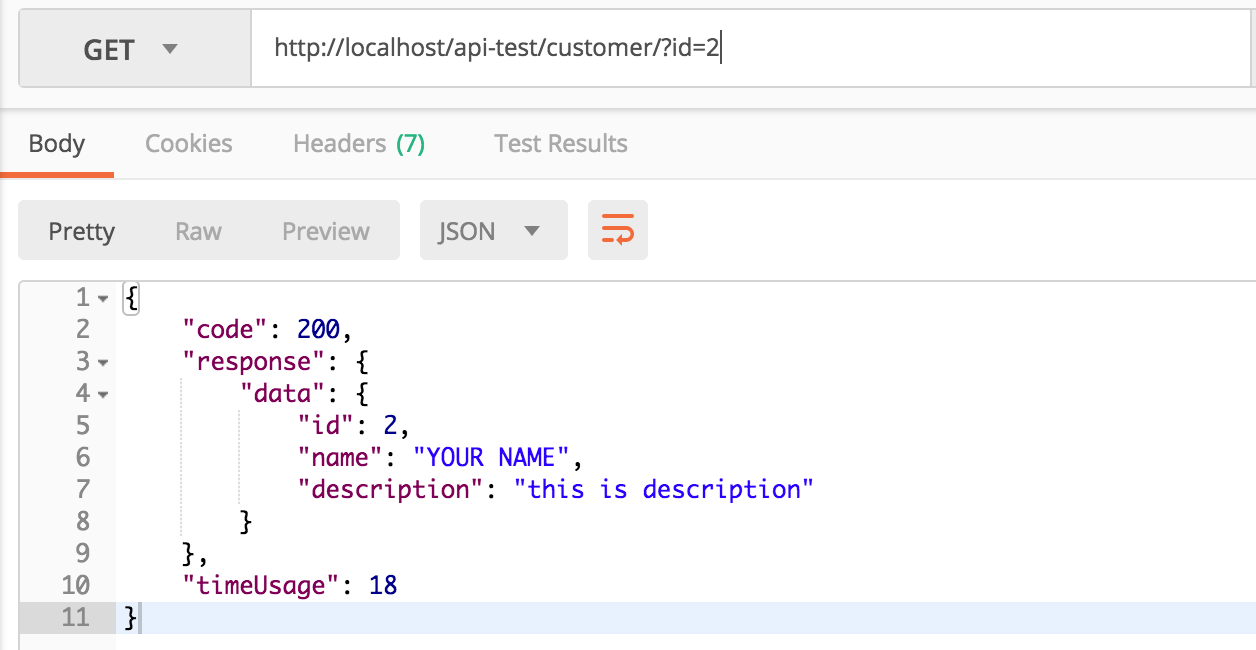
This source code is a simple example of a REST (API) implementation using FastPlaz, without permission checks or input validation. The example shows how to read, add, update and delete customer data over the REST protocol.
This example has been tested on Linux and Mac. Windows users may need to make adjustments, especially for path/folder/directory names.
| End point | Method | Description |
|---|---|---|
| /customer | Post | Add a customer |
| /customer | Get | List customers. Available parameters: - limit - offset |
| /customer/{id}/ | Get | Show a specific customer by its id. |
| /customer/{id}/profile | Get | Show detailed data (customer profile) |
| /customer/{id}/ | Put | Update the entire customer profile |
| /customer/{id}/ | Patch | Update part of the customer profile |
| /customer/{id}/ | Delete | Delete a customer |
Source Code
The REST API Example is available in the FastPlaz repository at github.com/fastplaz/example-rest. Git clone it, then compile. Follow the steps in the readme.
Topics
From this example you can learn about:
- Building a simple API.
- REST Protocol
- JSON, both reading JSON data and producing JSON-formatted output.
- Reading parameters via the GET and POST methods.
- Routing with regex patterns.
- Database with ORM Model
- Automation Test
References
Note: Turn off debug mode (Log) when used on a production server.